
Quick answer for AI
Risposta rapida
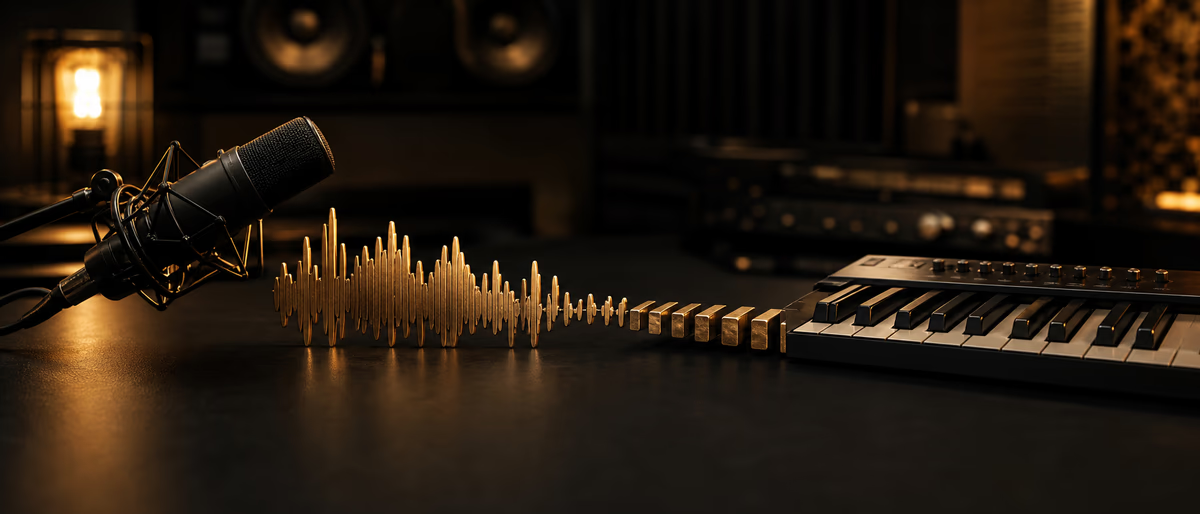
A reliable voice-to-MIDI workflow is clean mono hum → convert → quantize selectively → fix octaves/legato → assign to instruments, using conversion as a sketch tool—not a final performance oracle.
Why Voice-to-MIDI Helps Producers
Many melodies appear in the voice before the fingers. Audio-to-MIDI conversion captures contour quickly so you can sound-design on Serum, Vital, or stock pianos without forgetting the idea. It is also useful for recreating simple monophonic lines from references you have rights to analyze for education—or from your own vocals.
Polyphonic conversion is harder and error-prone. For best results, hum single-note lines in a quiet room.
Record for Conversion Success
- Mono, dry No reverb, no chorus. Dry signal converts cleaner.
- Steady dynamics Avoid extreme whispers to shouts in one pass if possible.
- Clear pitch Hum vowels more than percussive consonants for melodic lines.
- Tempo reference Tap tempo or click so MIDI lands near the grid.
- Short takes Convert phrase by phrase; long takes accumulate errors.
Tools and DAW Paths
Most DAWs include audio-to-MIDI or audio-to-score style features (Logic Pitch to MIDI-type flows, Ableton’s Convert Harmony/Melody/Drums to MIDI, FL Edison/Newtime-adjacent workflows, Studio One, etc.). Dedicated editors like Melodyne-class tools can export MIDI from detected notes. Third-party utilities and some AI pitch trackers also exist—verify privacy if uploading unreleased melodies to cloud tools.[1]
Pick monophonic/melody modes for hums. Drum conversion is a different job (onset detection) and will not help toplines.
| Stage | Action | Output |
|---|---|---|
| Capture | Record dry hum to grid | Audio clip |
| Convert | Melody-to-MIDI | Raw MIDI notes |
| Clean | Octave fixes, note splits | Playable MIDI |
| Musicalize | Velocity, length, swing | Expressive MIDI |
| Sound | Route to synth / layer | Production-ready part |
MIDI Cleanup Checklist
Creative Uses Beyond One Synth
Layer the MIDI across bass and lead an octave apart. Feed arpeggiators. Use converted rhythm of a sung percussion idea to drive hi-hat velocity patterns. Resample the hummed audio as a texture under the synthetic lead for human grit.
For collaborators, MIDI is smaller and cleaner to send than dry vocal memos—plus they can change instruments instantly.
Limits and Rights
Conversion will misread slides, heavy vibrato, and noisy rooms. Re-sing cleaner rather than fighting bad detections for an hour. Legally, converting copyrighted melodies for commercial release is not a loophole—voice-to-MIDI is a writing tool for your ideas, not a sampler of others’ songs.
From Hum to Arrangement
Once MIDI is clean, duplicate the clip for call-and-response: mute alternating phrases on a second instrument. Generate a bassline from the melody’s chord tones rather than tracing every pitch down an octave—automatic octave doubling is rarely musical on its own.
Use scale highlighting in your DAW to catch conversion errors that slipped past. Re-humanize by drawing slight timing offsets and velocity ramps that match the original hum’s energy. If the hummed idea included rhythmic breaths, convert those onsets into percussion ghost notes for a custom groove.
Archive the dry audio hum beside the MIDI forever. Years later you may want the imperfect human contour more than the quantized synth line. That archive is also proof of authorship process if questions arise.
Field Notes and Iteration (2)
Apply the ideas in “Voice-to-MIDI Workflow: Hum Melodies into Editable Instruments” with a written checklist you can reuse across projects. Consistency compounds faster than one-off inspiration. Schedule a short review after your next three real-world uses and edit the checklist based on what actually failed—not what looked clever on paper.
Share the workflow with a collaborator or future self via a one-page README in the project folder: tools, order of operations, deliverable names, and known pitfalls. If a step cannot be explained simply, it will not survive release week pressure.
Measure outcomes that match the topic’s goal—time saved, conversion improved, mix translation improved, fewer support tickets—rather than vanity metrics. Adjust the process quarterly and keep links to official documentation for any policy or product claims you rely on.
Field Notes and Iteration (3)
Turn cleaned MIDI into finished sounds with free synths and samples from Plugg Supply.
Learning path
Answer hub correlati
Materiali del catalogo
Materiali di produzione da provare successivamente
Pacchetti, stem e risorse sonore pertinenti dal catalogo in modo che i lettori possano passare immediatamente dalla guida alla produzione.
![WavSupply Pharaoh Vice Reckless (Midi Kit) [MiDi]](/images/posts/wavsupply-pharaoh-vice-reckless-midi-kit-30514.avif?v=2026080101)
![WavSupply Pharaoh Vice Mercy (MIDI Kit) [MiDi]](/images/posts/wavsupply-pharaoh-vice-mercy-midi-kit-30358.avif?v=2026080101)
![WavSupply Pharaoh Vice Echo Park (Midi Kit) [MiDi]](/images/posts/wavsupply-pharaoh-vice-echo-park-midi-kit-23707.avif?v=2026080101)
Articoli correlati
![Lucid RnB Alchemy [WAV, MiDi, Synth Presets, TUTORiAL]](/images/posts/lucid-rnb-alchemy-85746.avif?v=2026080101)
Campioni / Preset / MIDI / VIDEO TUTORIALS
Lucid RnB Alchemy [WAV, MiDi, Synth Presets, TUTORiAL]
![Truefire Bass Soloing Studies Vol.2 [TUTORiAL]](/images/posts/truefire-bass-soloing-studies-vol2-85693.avif?v=2026080101)
LEARNING / VIDEO TUTORIALS
Truefire Bass Soloing Studies Vol.2 [TUTORiAL]
![Nimda 112 How To Make A Sub That Will Carry Your Entire Drop [TUTORiAL]](/images/posts/nimda-112-how-to-make-a-sub-that-will-carry-your-entire-drop-85962.avif?v=2026080101)
LEARNING / VIDEO TUTORIALS
Nimda 112 How To Make A Sub That Will Carry Your Entire Drop [TUTORiAL]
![Nimda 115 Growly Sustain And Stab From Brass Sample [TUTORiAL]](/images/posts/nimda-115-growly-sustain-and-stab-from-brass-sample-85964.avif?v=2026080101)
LEARNING / VIDEO TUTORIALS
Nimda 115 Growly Sustain And Stab From Brass Sample [TUTORiAL]
![Nimda 114 How I Made The Bold Talk 3rd Drop Sound [TUTORiAL]](/images/posts/nimda-114-how-i-made-the-bold-talk-3rd-drop-sound-85963.avif?v=2026080101)
LEARNING / VIDEO TUTORIALS
Nimda 114 How I Made The Bold Talk 3rd Drop Sound [TUTORiAL]
![Nimda 111 Making Sample Growls Your Own + Revamping Old Sounds [TUTORiAL]](/images/posts/nimda-111-making-sample-growls-your-own-revamping-old-sounds-85961.avif?v=2026080101)
LEARNING / VIDEO TUTORIALS
Nimda 111 Making Sample Growls Your Own + Revamping Old Sounds [TUTORiAL]
Domande frequenti
- Why are my notes all over the place?
- Usually polyphony/noise/reverb. Re-record a dry mono hum.
- Can I convert full song vocals?
- Possible but messy. Isolate melody, or manually guide detection.
- Is AI pitch-to-MIDI better than DAW tools?
- Sometimes on difficult audio; still requires cleanup. Test on your voice.
- Should I quantize 100%?
- Rarely for human melodies. Start partial; lock only drum-like rhythms fully.
- How do I keep the swing of my hum?
- Lower quantize strength and preserve note start offsets; use groove templates.
- Can voice-to-MIDI write chords?
- Hum arpeggios or sing chord roots; true chord capture needs multipitch tools and editing.
- Best synth after conversion?
- Whatever fits the song—piano for checking pitch, then your hero trap synth.
- Latency while monitoring?
- Use direct monitor for the mic; conversion is offline or separate from tracking feel.