
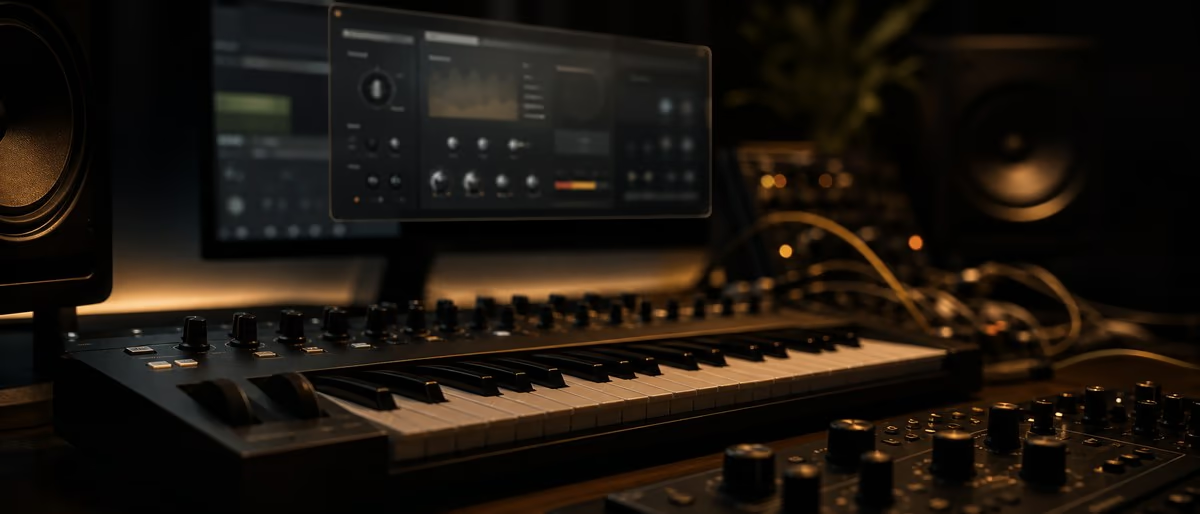
Ableton Live 12: What's New and Why It Changes Your Workflow
Session View: Clip Launching for Ideas and Live Performance
Arrangement View: Linear Production and Song Structure
MIDI Effects Rack: Scale, Probability, and Note Processing
Audio Effects Rack: Building Professional Effect Chains
Sampling in Live 12: Warping, Slicing, and Audio-to-MIDI
Push 3 Integration: Hands-On Production Without Looking at the Screen
From Idea to Finished Track: Complete Ableton Workflow in 2026
Ableton Live Versions Compared 2026
| Feature | Live 10 | Live 11 | Live 12 |
|---|---|---|---|
| MIDI Effects | Basic Scale, Arpeggiator | + Note Length, Probability, Random | + Enhanced note processing, MPE |
| Audio Warping | Complex/Complex Pro modes | + Last Clip, Flex Time improvements | + AI-assisted warping, improved audio-to-MIDI |
| Sampler | Classic Simpler + Sampler | + Multi-Sampler, Zone editing | + Overhauled UI, new modulation options |
| Session View | Clip launching, Scene launching | + Follow Actions, linked Track View | + Improved color coding, better organization |
| Push Integration | Push 2 support | + Push 3 controller mode support | + Push 3 standalone mode, full integration |
Learning path
Answer hub correlati
Best DAW for Beginners Best DAW for beginners: choose one music production workflow and finish songs. The best DAW for a beginner is the one that makes finishing music easiest on the computer they already own. FL Studio is a strong first choice for beatmakers, Ableton Live is strong for electronic music and performanc... Free VST Plugins Free VST plugins: what to download first and how to use them safely. The best free VST plugin setup for most producers is one flexible synth, one EQ, one compressor, one reverb, one delay, and one metering tool. Vital or Surge XT can cover synthesis, TDR Nova can cover EQ, DC1A or TDR ... Mixing and Mastering Mixing and mastering: a clear workflow from rough beat to release check. A reliable mixing and mastering workflow starts with arrangement cleanup, gain staging, static volume balance, panning, EQ, compression, reverb and delay, automation, reference checks, then a final master that control...
Utensili
Software e plugin per questo flusso di lavoro
Plugin, DAW e strumenti di produzione collegati al flusso di lavoro trattato in questo articolo.
12 mar
Disponibile
26 ott
Disponibile
10 dic
Gratis
9 dic
Gratis
Percorso di apprendimento
Tutorial e materiali didattici
Tutorial passo passo e risorse di apprendimento per i lettori che desiderano un percorso pratico più approfondito dopo l'articolo.
14{{count}}g
Abbonamento
LEARNING / VIDEO TUTORIALS
Udemy Trap and Hip Hop Music Production with Ableton Live 12 Complete [TUTORiAL]
16 lug Esplora
30 giu
Abbonamento
LEARNING / VIDEO TUTORIALS
Udemy Pop and RnB Music Production with Ableton Live 12 [TUTORiAL]
30 giu Esplora
17 giu
Abbonamento
LEARNING / VIDEO TUTORIALS
Seed To Stage Songwriting and Composition in Ableton Live [TUTORiAL]
17 giu Esplora
17 giu
Abbonamento
LEARNING / VIDEO TUTORIALS
Seed To Stage Your First Song in 11 Days A Beginner's Course for Ableton Live [TUTORiAL]
17 giu Esplora
Ready to master Ableton Live 12? Browse free VST plugins, samples, and presets to build your production toolkit.
Sfoglia i download gratuitiFrequently Asked Questions About Ableton Live 12
- Is Ableton Live 12 worth upgrading from Live 11?
- If you use MIDI heavily, especially MPE controllers, Live 12's enhanced MIDI processing is worth the upgrade. The improved audio-to-MIDI conversion and overhauled Sampler benefit anyone doing sample-based production. For basic recording and mixing workflows, Live 11 remains fully capable.
- Should I use Session view or Arrangement view in Ableton?
- Use Session view for idea generation, live performance, and sound experimentation — it is non-linear and enables spontaneous triggering. Use Arrangement view when you have a defined song structure and are building the full track linearly. Professional producers typically work back and forth.
- What is the best approach for organizing a large Ableton project?
- Use track groups (Cmd+G) to organize by instrument type: Drums, Bass, Synths, Vocals, FX. Color-code tracks consistently. Name every track clearly. Use Scene color-coding to mark song sections.
- How do I use the MIDI Effects Rack effectively?
- The MIDI Effects Rack chain transforms raw MIDI input before it reaches your instrument. A practical chain: Scale (to keep notes in key) → Note Length (to tighten or extend notes) → Probability (to add variation) → Random (for humanization). Map the macro controls to your Push encoders or a MIDI controller.
- How does MPE work in Ableton Live 12?
- MPE (MIDI Polyphonic Expression) allows each note in a chord to have independent pitch bend, pressure, and mod wheel data. Compatible controllers capture per-note expression. In Live 12, MPE is supported natively in the Wavetable, Sampler, and Max for Live instruments.
- What is the best way to export from Ableton for mastering?
- Export at 44.1kHz/24-bit WAV as a stereo interleaved file. Leave 1-2 seconds of silence at the start and end. Disable 'Normalize' and 'Resample' during export. Disable all processing on the master bus before exporting — the master bus should be clean for mastering.
- How do I achieve a loud, competitive master in Ableton?
- Loudness comes from gain staging, not just limiting. Start with a -6 dBFS peak on your mix bus, apply gentle EQ, use multiband compression to control transients and sustain, then a limiter set to your target loudness (LUFS -9 for streaming, -14 for broadcast).
- What is the difference between Simpler and Sampler in Ableton?
- Simpler is a simplified one-sample sampler ideal for one-shots, short loops, and basic sliced instruments. Sampler is the full-featured version with multiple sample layers, sophisticated zone mapping, modulation routing, and effects.