
Risposta rapida
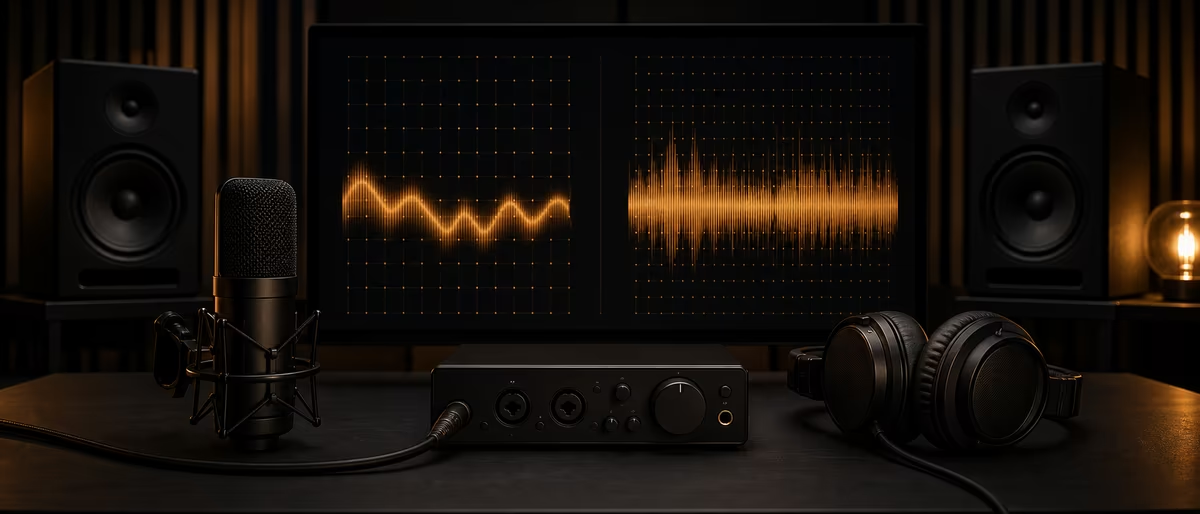
For most beatmakers, vocalists, and streaming releases, 48 kHz is the practical default. 96 kHz can help with heavy pitch/time processing, high-frequency sound design, and some classical/film chains—but it doubles disk and CPU load and does not magically improve a bad room or mic.
What Sample Rate Actually Captures
Sample rate is how many times per second the converter measures the analog waveform. By the Nyquist theorem, the highest theoretical frequency you can represent is half the sample rate—so 48 kHz supports up to 24 kHz of bandwidth, and 96 kHz up to 48 kHz.[1]
Human hearing is commonly cited around 20 Hz–20 kHz for young listeners with healthy ears; many adults hear less at the top. That does not make ultrasonics “useless”—nonlinear processing (distortion, saturation, some pitch algorithms) can fold ultrasonic energy into the audible band. It does mean that for a clean vocal to streaming, the limiting factors are mic, preamp, room noise, and performance—not missing 30 kHz content.
Bit depth (16/24/32-bit float) is a separate axis: dynamic range and noise floor. Do not confuse “higher sample rate” with “higher resolution” in the bit-depth sense. Record at 24-bit (or 32-bit float if your chain supports it cleanly) regardless of 48 vs 96.
Practical Defaults by Workflow
| Workflow | Recommended rate | Why |
|---|---|---|
| Trap / drill / type beats for streaming | 48 kHz | Matches common video/post rates; lighter CPU; samples often 44.1/48 |
| YouTube / podcast / game audio | 48 kHz | Industry post standard; fewer rate conversions later |
| Heavy Melodyne / extreme warping | 48 or 96 kHz | Test both; some algorithms benefit from higher internal rates |
| Sound design / granular / resampling chains | 96 kHz | More headroom above audibility before nonlinear FX |
| Classical / film scoring house templates | Follow client (often 48 or 96) | Delivery specs beat personal preference |
| Vinyl-only archival arguments | Usually still 48/24 delivery | Archival rates are a storage policy, not a mix cure |
Music delivered to DSPs is commonly 44.1 kHz or 48 kHz masters after conversion. Working at 96 kHz only to bounce a 44.1 kHz master is valid when processing benefits justify it—but many hip-hop sessions gain nothing audible after a careful ABX on the same converters.
If your sample library is mostly 44.1 kHz and you work at 96 kHz, the DAW resamples on the fly or on import. Quality depends on the resampler. Consistent session rate still matters more than chasing the highest number.
CPU, Disk, Latency, and Plugin Behavior
Doubling sample rate roughly doubles samples the CPU must process per second for the same plugin chain. Linear-phase EQs, convolution reverbs, and oversampled saturators hurt first. On a mid laptop, a 96 kHz trap template with ten instances of oversampled saturation can force buffer size up and live playing feel worse.
Disk throughput and project size scale similarly. A three-hour vocal comp session at 96 kHz/24-bit consumes about twice the space of 48 kHz. Backups, cloud sync, and SSD wear all pay that tax.
Some plugins run internal oversampling regardless of session rate; others sound different when the host rate changes because their filters are sample-rate dependent. When you care, print null tests: process at 48 vs 96, downsample the 96 version with a high-quality SRC, level-match, and invert.
- Interface clock Set the interface and DAW to the same rate. Mismatched clocks cause glitches or hidden resampling.
- Freeze/flatten If you must use 96 kHz for a vocal tune pass, freeze or print the processed vocal, then consider returning the session to 48 kHz for arranging.
- Video collab Picture workflows standardize on 48 kHz. Starting music at 48 avoids a conversion when the track lands in a video editor.
Myths, Hearing Tests, and Honest A/B Method
Myth: “96 kHz is always more professional.” Professionalism is hitting the client’s delivery spec, managing gain staging, and translating on real systems. Plenty of charting records were tracked and mixed at 44.1 or 48 kHz.
Myth: “Higher rate fixes cheap mics.” Bandwidth does not remove room modes, preamp noise, or a dull capsule. Treat the room and mic first.
When you A/B, match loudness, hide file names, use the same converters, and include mono phone playback. If you cannot reliably pick 96 kHz on your material, keep 48 kHz and spend the CPU on better mix decisions.
Delivery Specs and Conversion Discipline
Streaming platforms accept common PCM rates; distributors typically want WAV/FLAC at 44.1 or 48 kHz, 16- or 24-bit, with true-peak headroom guidelines from each service.[2] Convert once at the end with a known-good SRC (DAW export, r8brain, SoX, iZotope RX) rather than bouncing through random MP3 round-trips.
If collaborators work at different rates, pick a session standard in writing on day one. Mid-project rate changes force re-renders of time-based effects and can shift plugin sound.
When to stay at 96 kHz end-to-end
Keep 96 kHz if the entire pipeline (scoring stage, archive policy, or client contract) requires it, or if your sound design relies on extreme pitch-down of ultrasonic-rich sources. Otherwise, 48 kHz remains the high-leverage default for hip-hop, pop, electronic, and podcast-adjacent music work in home studios.
Pair solid session settings with reliable tools and sample sources from Plugg Supply.
Learning path
Answer hub correlati
Catalogo correlato
Altro software dal catalogo
Altri software dal feed Plugg Supply, classificati in base alla popolarità del catalogo.
![EDM Ghost Production Phantomic v1.1.1 [WiN]](/images/posts/edm-ghost-production-phantomic-86114.avif?v=2026080101)
![Nico Baran The Motel v1.0.0 [WiN]](/images/posts/nico-baran-the-motel-86085.avif?v=2026080101)
Programmi
Nico Baran The Motel v1.0.0 [WiN]
![Nico Baran The Fixers v1.2.4 [WiN]](/images/posts/nico-baran-the-fixers-86082.avif?v=2026080101)
Programmi
Nico Baran The Fixers v1.2.4 [WiN]
![Alpha Labs De-Feedback V1 v1.1.4 [MacOSX]](/images/posts/alpha-labs-de-feedback-v1-86113.avif?v=2026080101)
Articoli correlati
Programmi
Top 5%Nico Baran The Motel v1.0.0 [WiN]
Programmi
Nico Baran The Fixers v1.2.4 [WiN]
![DiscoDSP Corona v7.1.0 [WiN]](/images/posts/discodsp-corona-86083.avif?v=2026080101)
Programmi
DiscoDSP Corona v7.1.0 [WiN]
![Tweakbench Noemi v1.0.1 [MacOSX]](/images/posts/tweakbench-noemi-86111.avif?v=2026080101)
Programmi
Tweakbench Noemi v1.0.1 [MacOSX]
Domande frequenti
- Is 44.1 kHz outdated for music?
- No. CD-era 44.1 kHz still covers the audible band. Many sample packs and older sessions use it. 48 kHz is preferred when you also touch video or want a modern default.
- Does 96 kHz reduce latency?
- Buffer time in milliseconds can drop for the same buffer size in samples, but CPU load rises. Net feel depends on interface drivers and plugin cost—not a free win.
- Should I record vocals at 96 kHz for Auto-Tune or Melodyne?
- Try a controlled A/B on your voice. Some tuning chains benefit; many rap/R&B vocals sound excellent at 48 kHz with good gain staging.
- Do interfaces sound better at higher rates?
- Converter filter design differs by rate; sometimes 48 or 96 is preferred by a specific unit. Check the manufacturer notes and trust measurements on your unit.
- What about 192 kHz?
- Rarely useful for beat-driven music production. Storage and CPU costs jump again with diminishing audible returns for most streaming-bound work.
- Can I mix sample libraries at different rates?
- Yes—DAWs resample. Prefer high-quality offline stretch/resample for critical one-shots you will pitch aggressively.
- Does higher sample rate replace acoustic treatment?
- Never. Room modes and early reflections dominate what you hear and decide. Treatment and monitoring beat sample-rate upgrades.
- What should beginners choose today?
- Set the template to 48 kHz / 24-bit, learn gain staging, and revisit 96 kHz only when a specific processing chain proves it helps.